
Asset Operations Platform

Asset Operations Platform
Type
Work
Category
Year
2025
NDA Disclaimer
Company names, product names, workflows, and visuals have been anonymized or simplified for public presentation.
The Overview
The organization previously relied on a legacy enterprise asset management platform to handle operational maintenance activities and asset tracking. While feature-rich, the system introduced unnecessary complexity for day-to-day operational workflows.
The goal of this project was to design a more focused and efficient maintenance management experience tailored to the operational needs of field and administrative teams.
The Problem
Operational teams relied on an enterprise management platform to support maintenance and asset-related activities. While the platform served as the organization's primary source of operational data, many daily workflows required by operational administrators and maintenance teams represented only a subset of its broader capabilities.
As business requirements evolved, an opportunity emerged to provide a more focused experience tailored to day-to-day operational needs while maintaining alignment with existing enterprise systems and processes.
The challenge was not to replace the existing enterprise platform, but to create a streamlined operational layer that would simplify routine activities, improve usability, and enable users to work more efficiently without disrupting established business workflows.
1. Key Opportunities Identified
Streamlining routine operational activities
Improving information accessibility
Creating a more intuitive workflow experience
3. Design Objectives
Based on these findings, the project focused on three primary objectives:
Simplify operational workflows and reduce unnecessary complexity.
Improve information hierarchy and discoverability.
Enhance usability through clearer navigation and streamlined forms.
2. User & Business Considerations
To better understand the operational landscape, I conducted user interviews, workflow observations, stakeholder discussions, and feedback reviews.
Operational users primarily relied on a limited set of features for their daily activities.
Navigation and information structures could be simplified to improve task efficiency.
Forms and data entry processes presented opportunities to enhance usability and reduce input errors.
Users needed faster access to relevant information without navigating through unnecessary complexity.
The Solution
The solution was designed to support operational teams through simplified workflows, clearer information hierarchy, and consistent interactions across desktop and mobile platforms while remaining aligned with existing enterprise processes.
Responsbilities
Given the complexity of the operational workflows and existing system requirements, I collaborated closely with Business Analysts and stakeholders to design an efficient and intuitive user experience. My responsibilities focused on:
Tools used :




Requirement Analysis
The design process began with business requirements provided through Business Requirement Documents (BRD), which had been reviewed and validated with stakeholders. These requirements served as the foundation for understanding operational needs, workflows, and expected system behaviors.
Rather than directly translating requirements into interface designs, I worked closely with Business Analysts and stakeholders to evaluate how each requirement could be presented in a way that balanced business objectives with usability considerations.
Collaboration & Alignment
Throughout the project, regular review sessions, stakeholder discussions, and design workshops were conducted to ensure alignment between business expectations and user experience goals.
This collaborative approach helped identify opportunities to simplify workflows while maintaining consistency with established operational processes and enterprise systems.
Key Considerations
Aligning business requirements with user needs
Maintaining consistency with existing operational workflows
Simplifying interactions without affecting critical processes
Supporting integration with existing enterprise systems

Design Contribution
Beyond interpreting requirements, I actively participated in design discussions by providing UX recommendations and proposing alternative solutions when opportunities for improvement were identified.
One recurring focus area was workflow simplification. Several operational processes were reviewed and refined, reducing unnecessary steps while preserving required business validations and approvals.
Working Principles
These principles guided the decision-making process throughout the project, helping ensure that design solutions remained practical, user-friendly, and aligned with business objectives
Key UX Decisions
Rather than redesigning the interface from scratch, many improvements focused on simplifying existing operational workflows while preserving established business rules. Every design decision was validated through discussions with Business Analysts, developers, stakeholders, and user feedback to ensure the proposed solutions remained practical and aligned with operational needs.


Interaction Refinements
Beyond workflow improvements, several interaction patterns were refined throughout the project to make everyday tasks more efficient and intuitive.

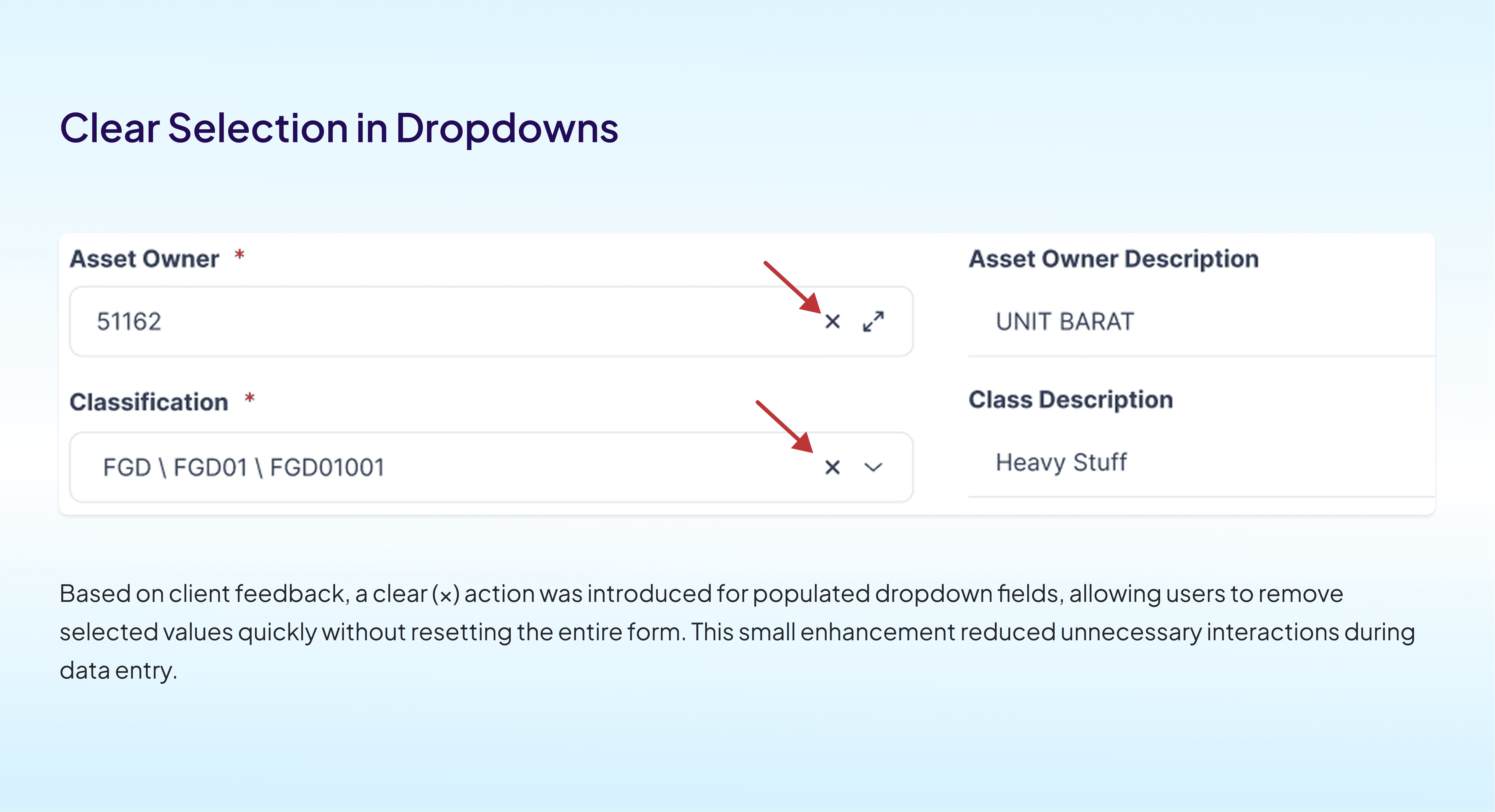

These refinements were driven by stakeholder feedback, developer collaboration, and usability considerations while remaining consistent with the existing design system.
Design Exploration
Once the key design decisions had been validated with Business Analysts and stakeholders, the next step was translating them into interface explorations.
Since this project evolved from an existing enterprise platform, not every feature required low-fidelity wireframes. Existing workflows and interface patterns provided a strong foundation, allowing the design process to focus on refining user interactions rather than reinventing familiar experiences.
Low-fidelity explorations were primarily used for complex workflows where layout validation and interaction discussions were necessary before moving into high-fidelity designs

Visual
This is an example ranging from wireframe to high-fidelity design.


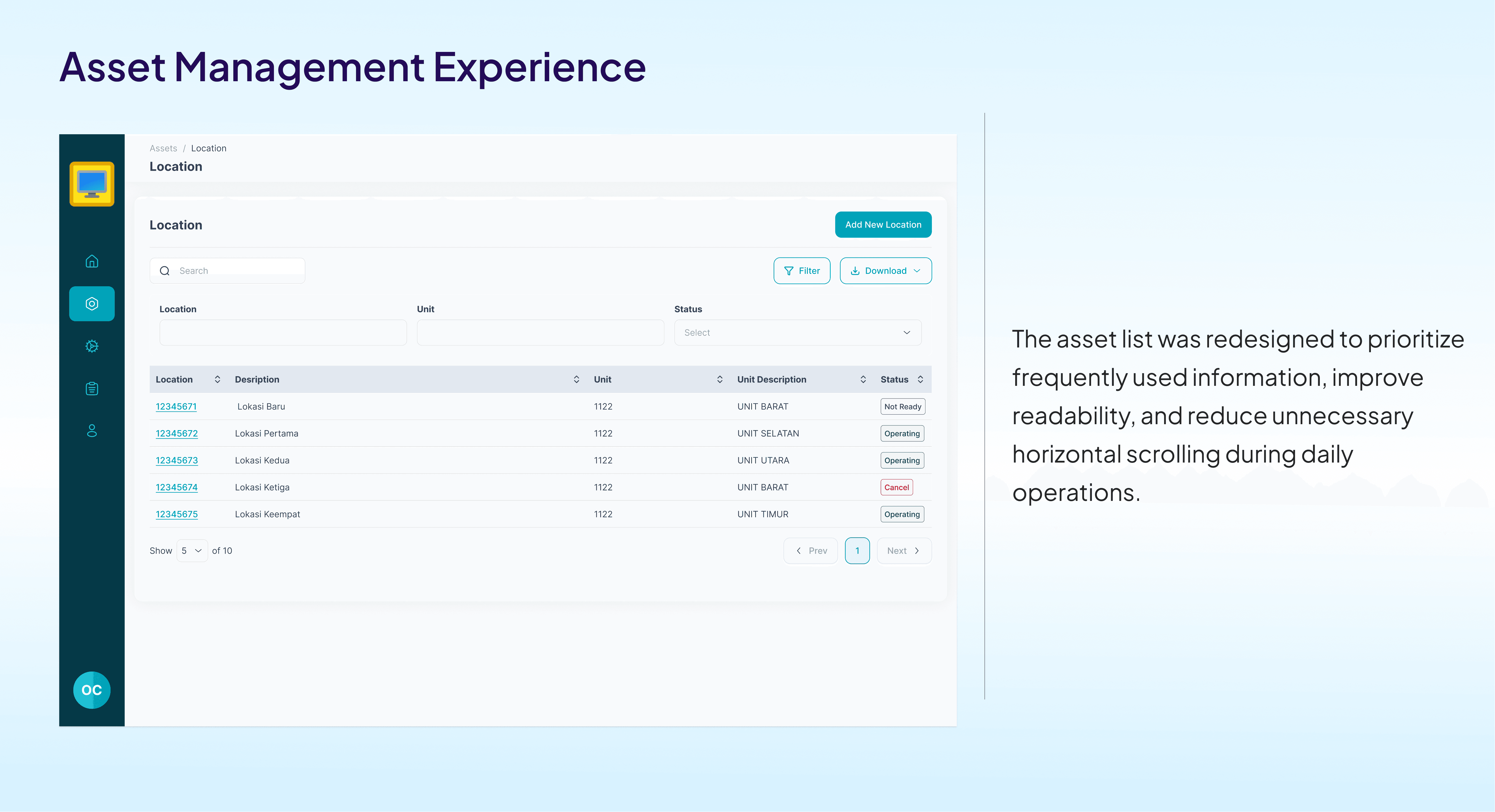
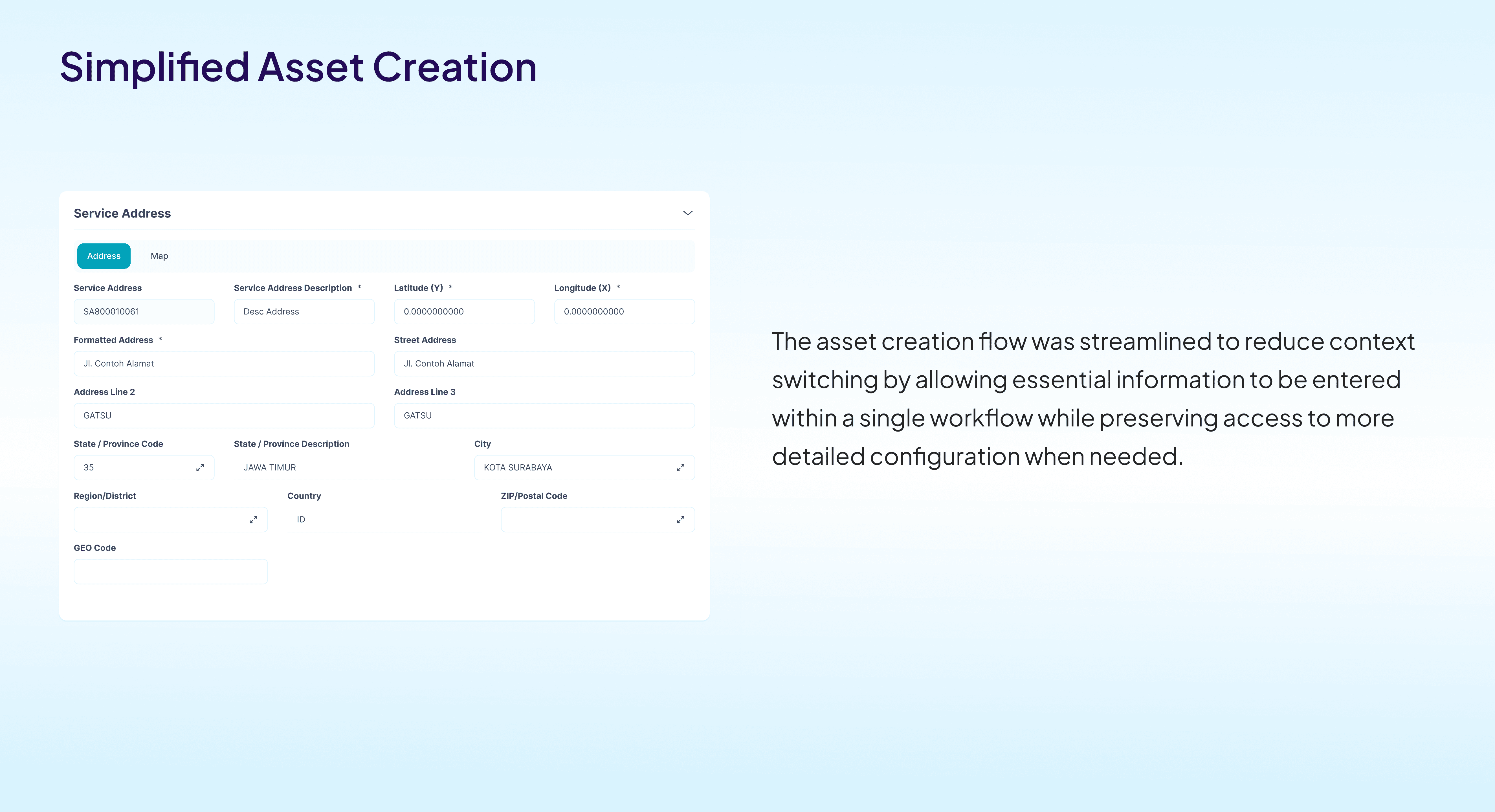
Final Solution
"Delivering a More Focused Operational Experience"
The final solution was designed to support operational teams through simplified workflows, clearer information hierarchy, and consistent interactions across desktop and mobile platforms while remaining aligned with existing enterprise processes.



Reflection
Working on this project taught me that designing enterprise applications is not about creating entirely new experiences, but about making complex operational processes feel simpler without compromising established business rules.
Close collaboration with Business Analysts, developers, stakeholders, and end users reinforced the importance of balancing business objectives with usability. Many of the most impactful improvements came from small interaction refinements that reduced friction in users' daily workflows.
This experience strengthened my ability to design within complex enterprise environments while delivering solutions that are both practical and user-centered.
Fragment Visual


